🚀 NEW BLOCK ALERT: Annotation Block Just Dropped!
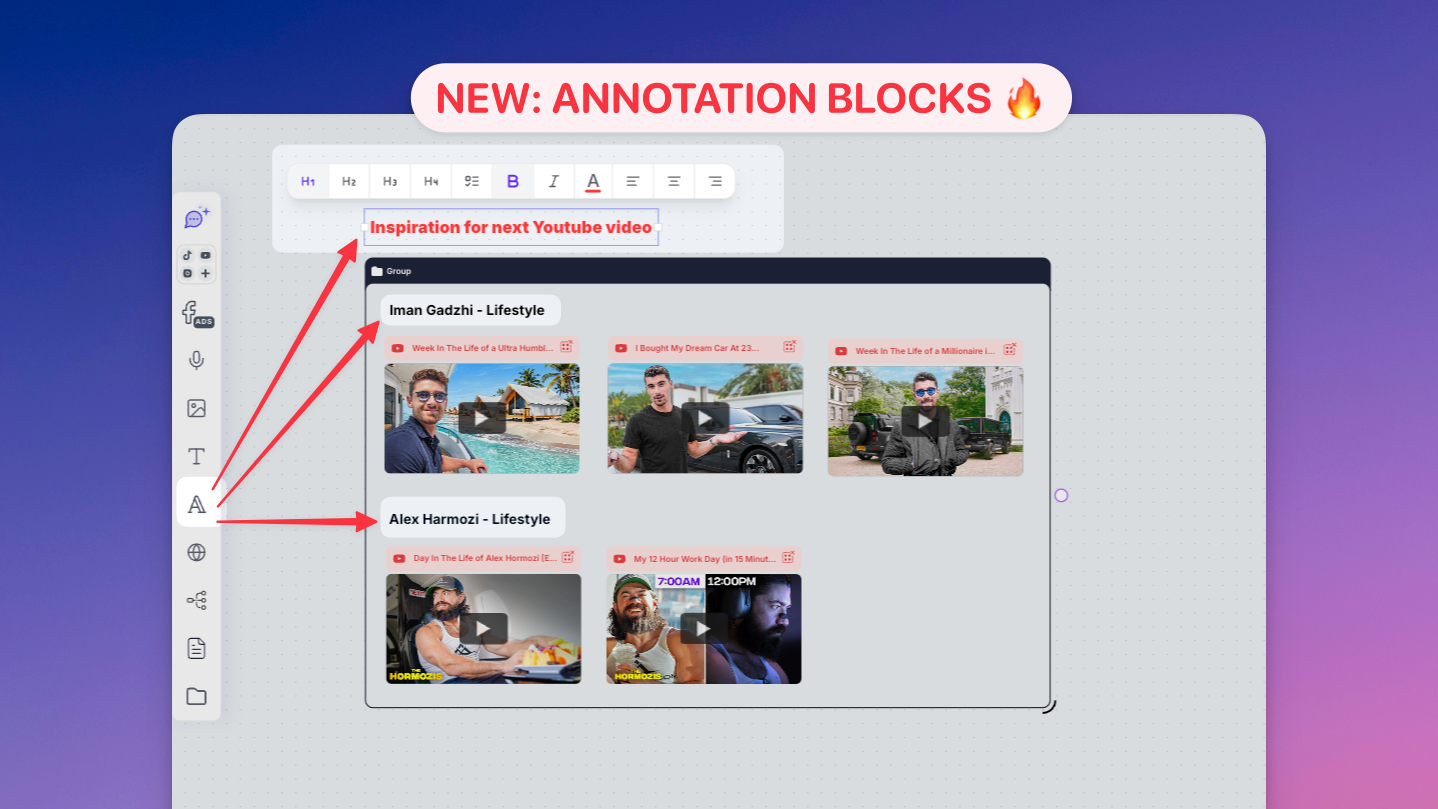
You know that feeling when you're staring at your board thinking "I REALLY need to explain this part right here"?
Well, our dev team heard your brain screaming and said "Hold my coffee" ☕
Meet the ANNOTATION BLOCK - because sometimes you need to point at stuff and actually say something useful about it! 🎯
!Perfect for adding context without connecting to AI - this is purely for human collaboration
📍 YOUR NEW SUPERPOWERS:
✅ Highlight specific areas directly on your board
✅ Add context exactly where it matters
✅ Perfect for team collaboration and feedback
✅ No more "see that thing over there" confusion
✅ Clean, focused explanations right on the spot
✅ NOT connected to AI - pure annotation power for humans
🎯 HOW TO BECOME AN ANNOTATION MASTER:
1️⃣ Add a new block to your board
2️⃣ Select "Annotation Block" OR Press “A“ on your keyboard
3️⃣ Position it exactly where you need to explain something
4️⃣ Type your notes
5️⃣ Watch your team actually understand what you meant! 🤯
🔥 PERFECT USE CASES:
• Team Reviews - "This section needs more research"
• Client Presentations - Explain your genius without interrupting flow
• Project Planning - Add context without cluttering
• Collaboration - Finally, clear communication that doesn't suck
• Board Organization - Replace scattered text blocks with targeted notes
Important: This block is designed for human annotation and collaboration - it won't connect to AI features. Think of it as your digital sticky note that actually sticks where you want it!
No more screenshot → circle in red → send in Slack → pray they understand the chaos.
Just point, annotate, and move on with your life!
This is collaboration without the headache - your future self will thank you! 🙌
DROP A 📍 if you're ready to annotate like a pro!
Enjoy, JD