You can now save and reuse Prompts in SECONDS⚡
You know that feeling when you have a killer prompt?
The one that actually works. The one you spent time crafting. The one that gets you exactly what you need from Poppy.
Where does it live?
In a text block. On your canvas. Buried somewhere between 12 other things. 😂
So every time you need it - you go hunting. You scroll. You find it. You copy. You paste.
Every. Single. Time.
That's what we just killed.
Introducing: Prompt Library ✨
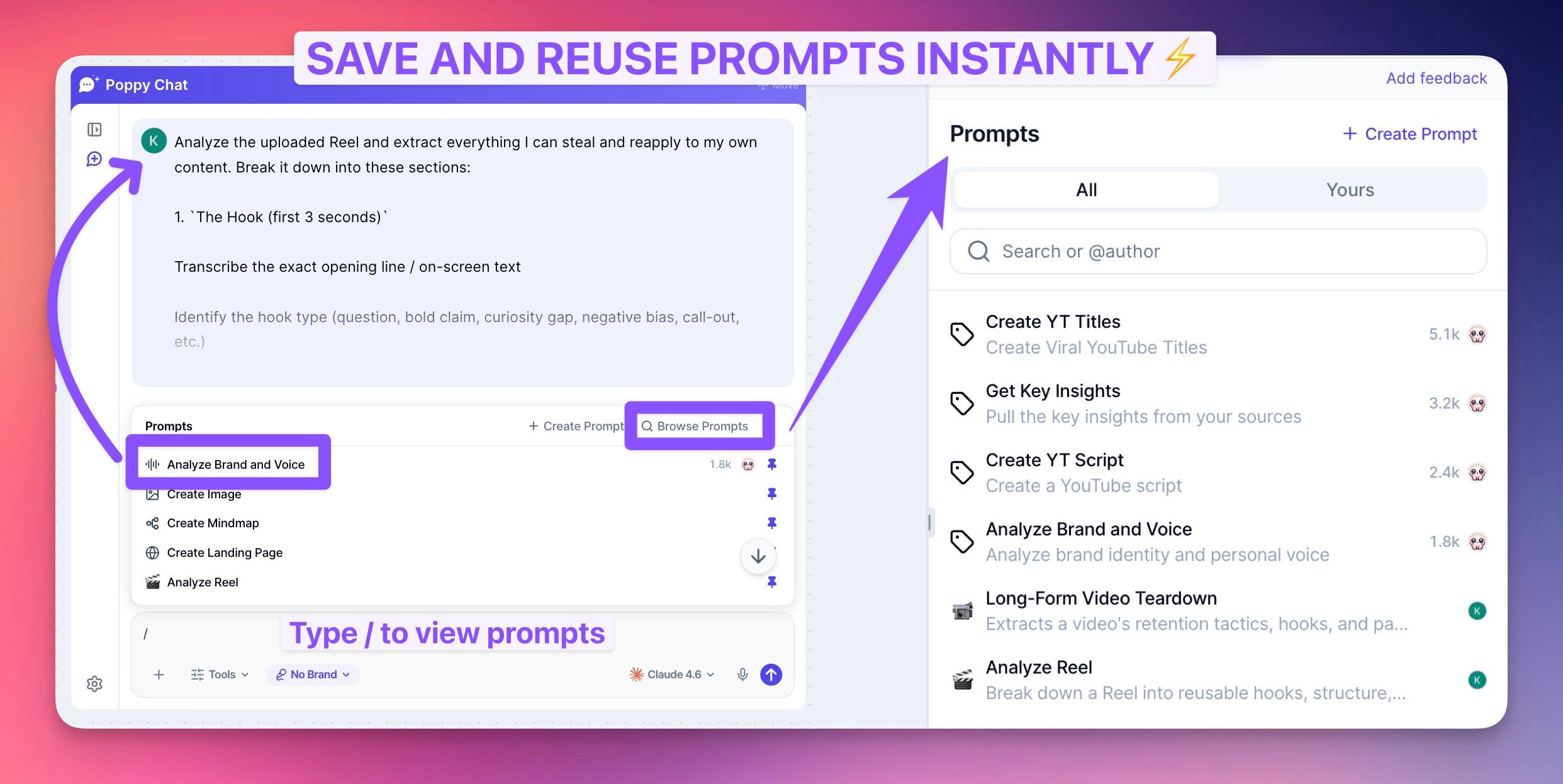
Your prompts now live inside the chat. One keystroke away.
Press / and your prompts are right there. Click. Done. The whole thing pastes instantly.
No more hunting. No more cluttered canvas. No more copy-paste ritual.
🎯 HOW IT WORKS:
👉 Press / inside any Poppy chat
👉 See all your saved prompts instantly
👉 Click one to paste it in full - immediately
👉 Pin your most-used prompts so they're always up top
🛠️ WHAT YOU CAN DO WITH IT:
Save your own prompts - press / → Create Prompt → paste it in → done
Refine with AI - not sure if your prompt is good enough? Hit Refine and Poppy polishes it into the best version of itself
Remix prompts - take an existing prompt and spin a new one out of it
Add categories + tags - keep everything organised as your library grows
Browse all your prompts - one place, every prompt, always clean
💰 THE CHALLENGE:
Save your single most-used prompt into the library right now.
Then press / in a Poppy chat and use it.
Drop it in the comments below 👇
What's the prompt that changed how you use Poppy?
Love ya, - Kaustubh ✌️
P.S. Soon you'll be able to share prompts with your team or publicly. That one's going to be fun. 👀